ConvertDuck

Make NZeTA Photo

New Zealand uses one standard for visas and the NZeTA alike. Online it wants a JPG between 512KB and 3.14MB — a minimum file size, which is unusual — and it explicitly refuses photos where the background has been replaced.

Upload PhotoJPG, PNG

NZeTA Photo (35 x 45mm / 512KB-3.14MB)

Standard Example

Framing

  • 1

    Have someone else take it

    Immigration New Zealand recommends this over a selfie.

  • 2

    Stand 0.5m from the background

    Far enough that you cast no shadow on it.

  • 3

    Look straight at the camera

    Neutral expression, mouth closed, eyes open.

Specifications

The standard Immigration New Zealand publishes for visas and the NZeTA.

Online fileJPG or JPEG, 512KB to 3.14MB
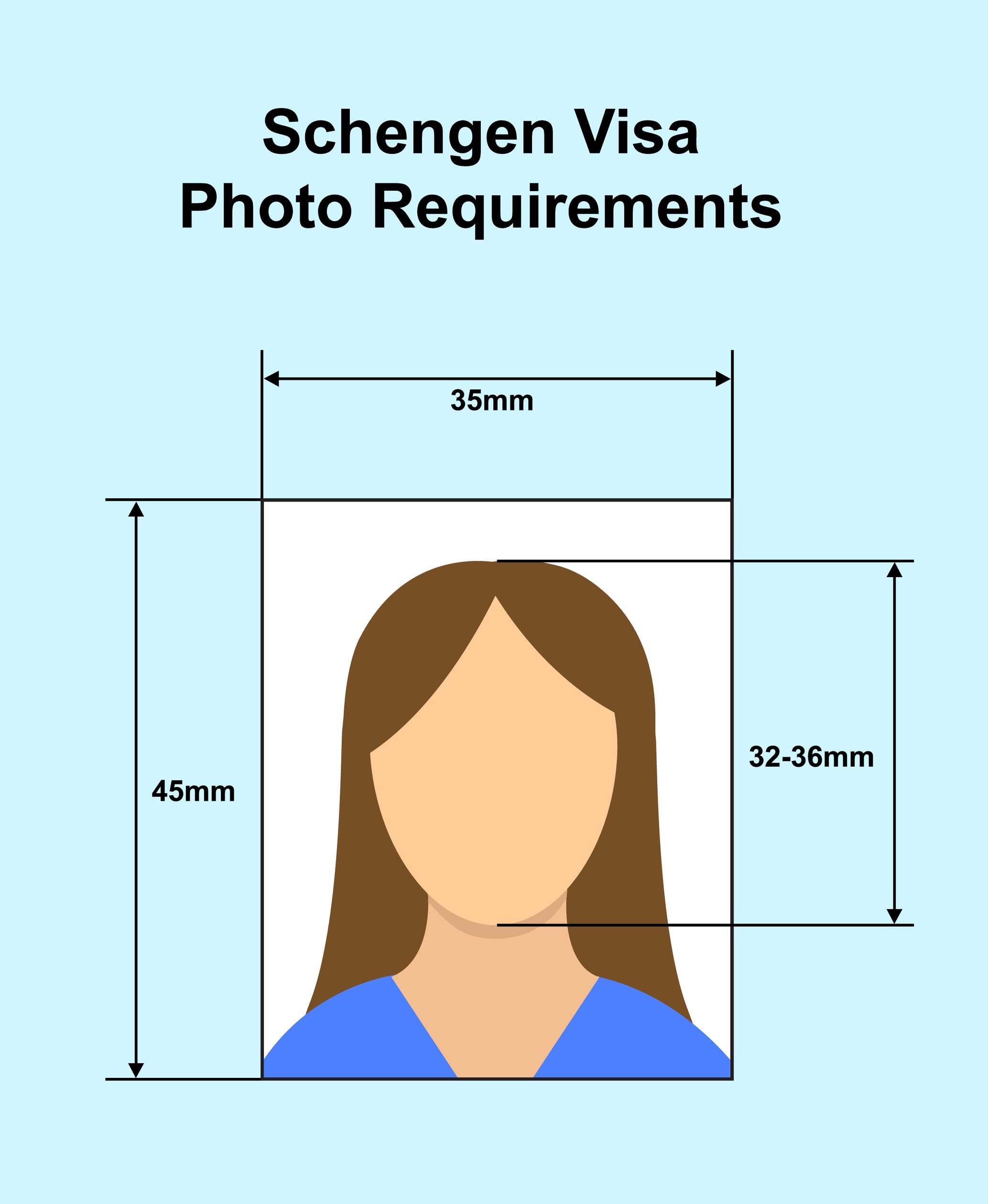
Paper application35mm wide by 45mm high
BackgroundNeutral and plain, no shadows
EditingNone — AI or otherwise
Used asBiometric information

Compliance Checklist

  • Do not replace the background

    Cutting out your head and shoulders and placing them on a plain background is named as unacceptable.

  • No AI enhancement

    Skin smoothing and face slimming are named too. A photo that fails may be declined.

  • At least 512KB

    A minimum, not a maximum. An over-compressed file fails.

  • Not a photo of a photo

    The file has to come from a camera pointed at you.

  • Glasses only if clear and glare-free

    Prescription glasses are fine; tinted lenses are not.

Retouched or AI-edited photos are refused

the photo must not be edited — Immigration New Zealand names replacing the background, AI enhancement, skin smoothing, face slimming and digitally removing glasses or jewellery as edits that fail the standard. The online file must be a JPG between 512KB and 3.14MB, a floor as well as a ceiling

NZeTA Photo Requirements, Explained

One standard covers New Zealand visas and the NZeTA — with a minimum file size and an outright ban on replacing the background.

Quick Check: Do's & Don'ts

Don't Replace the Background

Cutting yourself out onto a plain background is named as unacceptable.

No AI Enhancement

Skin smoothing and face slimming are named too.

At Least 512KB

A floor, not just a ceiling. 3.14MB is the top.

Stand 0.5m Clear

Far enough that you cast no shadow on the wall.

A Minimum File Size

512KB to 3.14MB, as a JPG.

Almost every authority sets a ceiling on file size. New Zealand sets a floor as well: the photo you upload must be between 512KB and 3.14MB, as a JPG or JPEG.

That catches people coming from stricter countries. A photo compressed to satisfy Uzbekistan's 1MB limit or Kazakhstan's much smaller one can land under half a megabyte and be rejected here for being too small.

If you are submitting a paper application instead, the printed photo is 35mm wide and 45mm high — the familiar international frame.

The Background Must Be Real

Replacing it is explicitly refused.

This is the rule worth reading twice, because it is the one most photo tools break. Immigration New Zealand lists edits that fail its standard, and among them is "cropping your head and shoulders to place it on a plain background".

Alongside it: skin smoothing, face slimming, and digitally removing objects from around your face such as glasses, jewellery, headbands or hats. Photos that are AI enhanced or altered do not meet the standard, and a failing photo may be delayed, declined or refused.

So the plain background has to be an actual plain background. Stand about half a metre clear of a neutral wall so you cast no shadow on it, and make sure there is good contrast between your face and the wall.

Patterns cause trouble beyond aesthetics — New Zealand warns that patterned clothing and backgrounds can create technical issues with its system.

It Is Biometric Information

Which explains the strictness.

New Zealand states that your photo is collected and used as biometric information, authorised by the Immigration Act 2009 and the regulations under it.

That framing explains the rest of the rules. A photograph that has been smoothed, slimmed or lifted onto a synthetic background is no longer a measurement of your face, and the whole point of the collection is that it is one.

It also means the same standard applies whether you are requesting an NZeTA or applying for a visa. The guidance page is titled "Acceptable photos for a visa or NZeTA" — one picture, two processes.

They Would Rather You Didn't Selfie

Advice, not a prohibition.

Immigration New Zealand says plainly that it can be difficult to take a selfie meeting its requirements, and recommends having someone else photograph you. It names background, positioning and lighting as the usual failures.

For the pose: look straight at the camera with a neutral expression and your mouth closed. Remove head coverings unless worn for religious or medical reasons, and if worn, the covering must not cover your mouth or the sides of your face.

Prescription glasses are allowed provided they are clear rather than tinted, with no glare and rims thin enough not to obscure your face. If they keep causing problems, taking them off is the simpler route.

What You'll Actually Download

Printed at 35 x 45mm, 827 x 1063px, JPG/PNG. Computed from this photo's own specification, not typed by hand.

How you submitUpload a fileSubmitted through: Immigration New Zealand / NZeTA app
Pixel size
827 x 1063px @ 600dpi
Print size
35 x 45mm (3.5 x 4.5cm / 1.38 x 1.77 in)
File type
JPG / PNG
Background
White

Requirements verified · Source: immigration.govt.nz

Watch out — Retouched or AI-edited photos are refused — the photo must not be edited — Immigration New Zealand names replacing the background, AI enhancement, skin smoothing, face slimming and digitally removing glasses or jewellery as edits that fail the standard. The online file must be a JPG between 512KB and 3.14MB, a floor as well as a ceiling

NZeTA Photo Maker (35 x 45mm, 512KB-3.14MB)

New Zealand publishes one photo standard for visas and the NZeTA. Online it asks for a JPG between 512KB and 3.14MB, and it refuses photos whose background has been replaced. Free, and your photo never leaves your browser.

Get Your Photo in 3 Steps

1. Have someone photograph you

Immigration New Zealand recommends this rather than a selfie.

Stand 0.5m clear of a plain background.

2. Auto Alignment

We crop to the 35x45mm frame New Zealand uses on paper applications.

Neutral expression, mouth closed.

3. Download & Upload

Attach the JPG to your NZeTA request.

It must be at least 512KB — don't over-compress it.

NZeTA Photo Specifications

Online fileJPG or JPEG, 512KB to 3.14MB
Paper application35mm wide by 45mm high
BackgroundNeutral and plain, no shadows, good contrast
EditingNone — AI enhancement is explicitly refused
StatusCollected and used as biometric information

Frequently Asked Questions

Q.Is the NZeTA photo different from a New Zealand visa photo?
No. Immigration New Zealand publishes a single page titled "Acceptable photos for a visa or NZeTA", so one standard covers both. What differs is the process, not the picture.
Q.What file size does the NZeTA need?
Between 512KB and 3.14MB, as a JPG or JPEG. The lower bound is the part people miss — most countries only set a ceiling, so an aggressively compressed photo that would pass elsewhere is too small here.
Q.Can I cut myself out and put a white background behind me?
No, and New Zealand names this specifically: cropping your head and shoulders to place them on a plain background is listed among edits that do not meet the standard. Photograph yourself against a real plain background instead, standing about half a metre clear of it.
Q.What about AI photo enhancement?
Refused. The guidance says photos that are AI enhanced or altered do not meet the standard, and lists skin smoothing, face slimming and digitally removing objects such as glasses or jewellery. A failing photo may be delayed, declined or refused.
Q.Can I wear glasses?
Prescription glasses are allowed if they are clear rather than tinted, with no glare and thin enough rims not to obscure your face. If they cause problems, taking them off is the safer choice.
Q.Can I take a selfie?
Immigration New Zealand advises against it — it says a selfie is difficult to get right and recommends having someone else take the photo, citing background, positioning and lighting as the usual failures.