ConvertDuck

Make Ghana Visa Photo

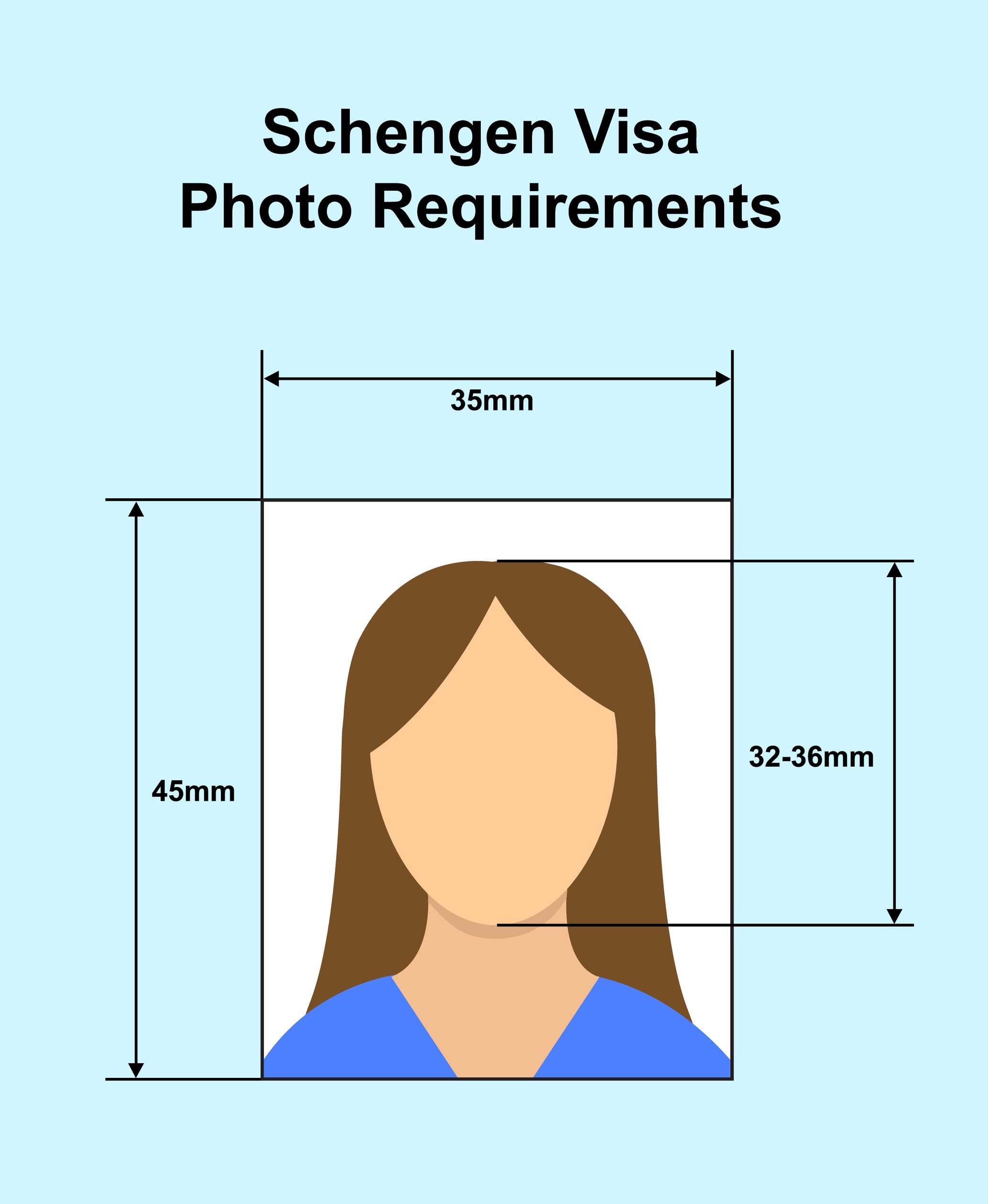
35x45mm on a plain light background. Ghana's own forms often just say "passport-size", and individual missions publish their own formats — so check your consulate's checklist against this before you print.

Upload PhotoJPG, PNG

Ghana Visa Photo (35x45mm)

Standard Example

Precise Face Alignment

  • 1

    Fit your head inside the guide

    Face fills 70-80% of the frame.

  • 2

    Show your shoulders and hair

    Both are named in the guidance.

  • 3

    Use a plain light background

    White is the safe default.

Specifications

The 35x45mm passport-size frame, the most commonly published Ghana format.

Dimensions35 x 45mm
Face Coverage70 - 80%
BackgroundPlain white or light
ColourColour only

Compliance Checklist

  • Check your mission's own checklist

    Ghana posts differ on format more than most countries.

  • Shoulders and hair clearly visible

    Ghana names both explicitly.

  • Plain uniform background

    No patterns, shadows or other people.

  • Taken within the last 6 months

    No edits or retouching.

Ghana Visa Photo Requirements, Explained

35x45mm is the format most commonly published for Ghana — but Ghana is one of the countries where the mission you apply through matters more than the national standard.

Quick Check: Do's & Don'ts

Missions Vary

Ghanaian posts publish their own operational formats. Read your consulate's checklist.

Shoulders and Hair Visible

Ghana names both, so don't crop tight to the face.

No Edits or Retouching

The photo must be unedited, in colour, and recent.

Check Your Mission First

This is the one Ghana-specific step worth doing.

Ghanaian visa forms frequently ask simply for a "passport-size photograph" without printing a millimetre figure, and individual embassies, high commissions and e-visa portals have published their own operational formats on top of that.

35x45mm is the size most widely documented for Ghana and the one this page produces. It is also the safest interpretation of "passport-size" for an applicant outside North America. But because the instruction genuinely varies by post, spend one minute on your own consulate's checklist before you print a sheet.

If your mission asks for a 2x2 inch photo, that is the American square format rather than a variant of this one — use our US-format tool for that instead of cropping this file down.

Don't Crop Too Tight

Shoulders and hair must be visible.

Ghana's guidance specifically states that your shoulders and hair must be clearly visible, alongside the usual requirement that the face fills roughly 70-80% of the photo.

That combination rules out the very tight head-only crop that some other countries effectively require. Frame your head and the top of your shoulders, and make sure your hairline and the outline of your hair are both inside the frame rather than running off the top edge.

Face the camera directly with a neutral expression and your mouth closed.

Background

Plain and uniform; white is the safe choice.

The background must be plain and uniform, with no patterns, shadows or other people in the frame. Guidance for Ghana describes it as plain white or light-coloured, with light grey and cream commonly treated as acceptable.

White is the safe default because it satisfies every reading of the requirement, and it is what this page produces. What is not negotiable is uniformity — a single flat tone, evenly lit. Stand about a metre away from the wall so your shadow falls behind you.

Quality & Recency

Colour, unedited, within six months.

The photo must be in colour and high resolution, with no edits or retouching applied. Beauty filters and skin smoothing are a real problem here because they are switched on by default in many phone cameras — check that your camera app is not applying one.

It must have been taken within the last six months and reflect your current appearance.

What You'll Actually Download

Printed at 35 x 45mm, 827 x 1063px, JPG/PNG. Computed from this photo's own specification, not typed by hand.

How you submitUpload or print
Pixel size
827 x 1063px @ 600dpi
Print size
35 x 45mm (3.5 x 4.5cm / 1.38 x 1.77 in)
File type
JPG / PNG
Background
White

Requirements verified

Ghana Visa Photo Maker (35x45mm)

Create the 35x45mm passport-size photo a Ghana visa application needs — plain background, shoulders and hair visible, free and 100% private.

Get Your Photo in 3 Steps

1. Check Your Mission's Checklist

Ghanaian posts publish their own formats. Confirm 35x45mm is what yours wants.

A 2x2 inch request means the US square format instead.

2. Upload & Auto Align

We crop to 35x45mm with your shoulders and hair inside the frame.

Turn off any beauty filter in your camera app.

3. Download & Submit

Print it or attach it to your application.

Keep the original file for reprints.

Ghana Visa Photo Specifications

Dimensions35 x 45mm (3.5 x 4.5cm)
Face Coverage70 - 80% of the photo
BackgroundPlain white or light, uniform
ColourColour only, no edits
RecencyWithin the last 6 months

Frequently Asked Questions

Q.What size is a Ghana visa photo?
35x45mm (3.5x4.5cm) is the size most widely published for Ghana and what this tool produces. Ghanaian forms often say only "passport-size", and individual missions publish their own formats, so check your consulate's checklist as well.
Q.My consulate asks for 2x2 inch. Can I use this photo?
No — 2x2 inch (51x51mm) is the American square format, not a crop of the 35x45mm rectangle. The two want different head proportions, so build the square version separately with our US-format tool.
Q.Does the background have to be white?
Plain and uniform is the firm requirement; guidance describes it as white or light-coloured, and light grey or cream are commonly accepted. White satisfies every reading, so that is what this page produces.
Q.Why do my shoulders need to be visible?
Ghana's guidance names shoulders and hair specifically as things that must be clearly visible. That rules out the very tight head-only crop some countries prefer — frame your head and the top of your shoulders.
Q.Can I use a photo with a filter on it?
No. The photo must be unedited and unretouched. Many phone cameras apply skin smoothing by default, so check your camera app's settings before you shoot rather than after.